
.png)
If you have applied for a 64KB ECHS smart card and want to check ECHS card status online. Thanks to the user-friendly ECHS beneficiary app, accessible for both Android and iOS users, the process has become incredibly convenient. Especially if you applied for a 64KB smart ECHS card, tracking your status is now just a few taps away. In this article, We will explore checking ECHS card status online and the process to activate it.
Here is the step by step process to check ECHS 64KB card online.
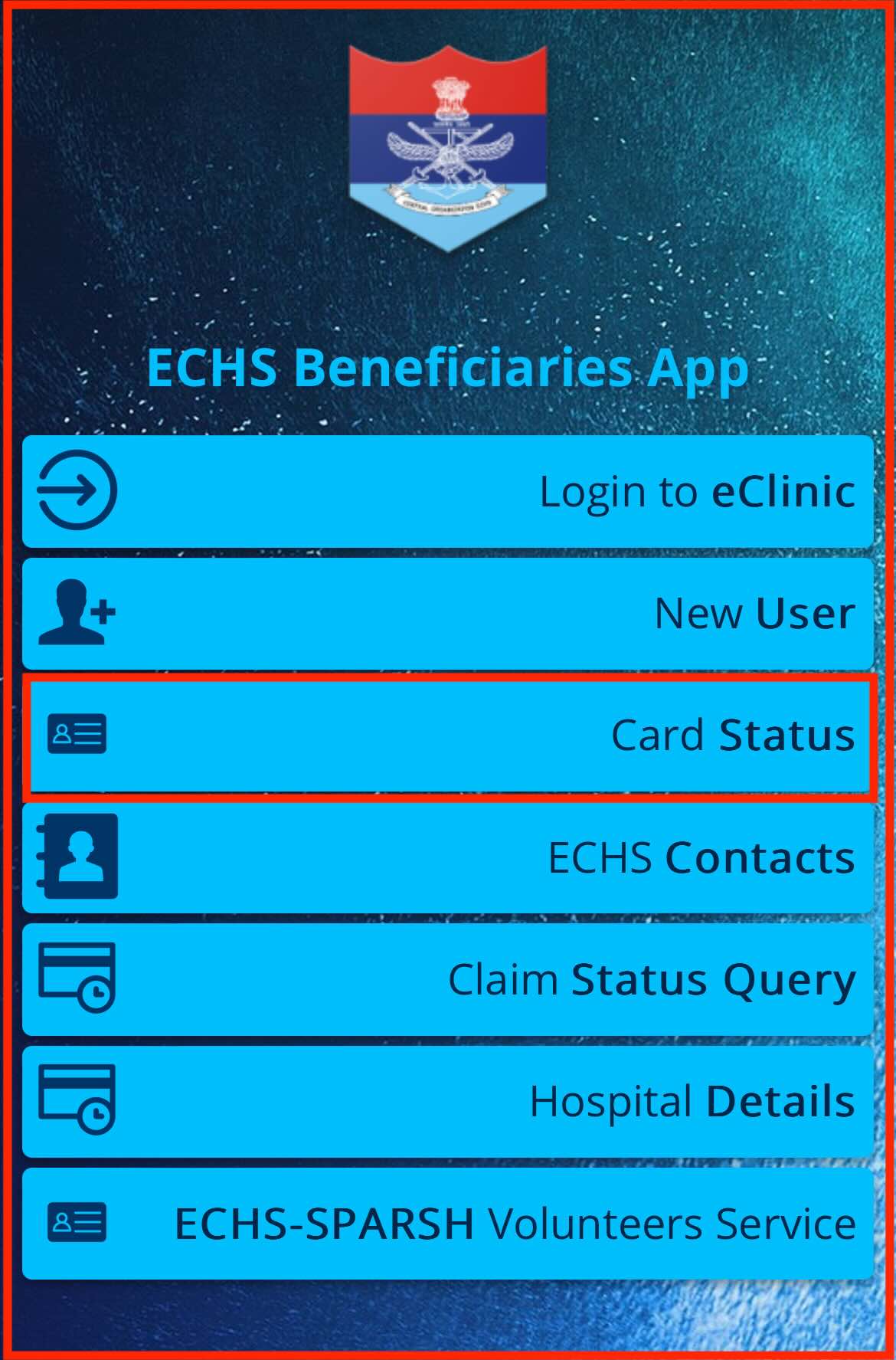
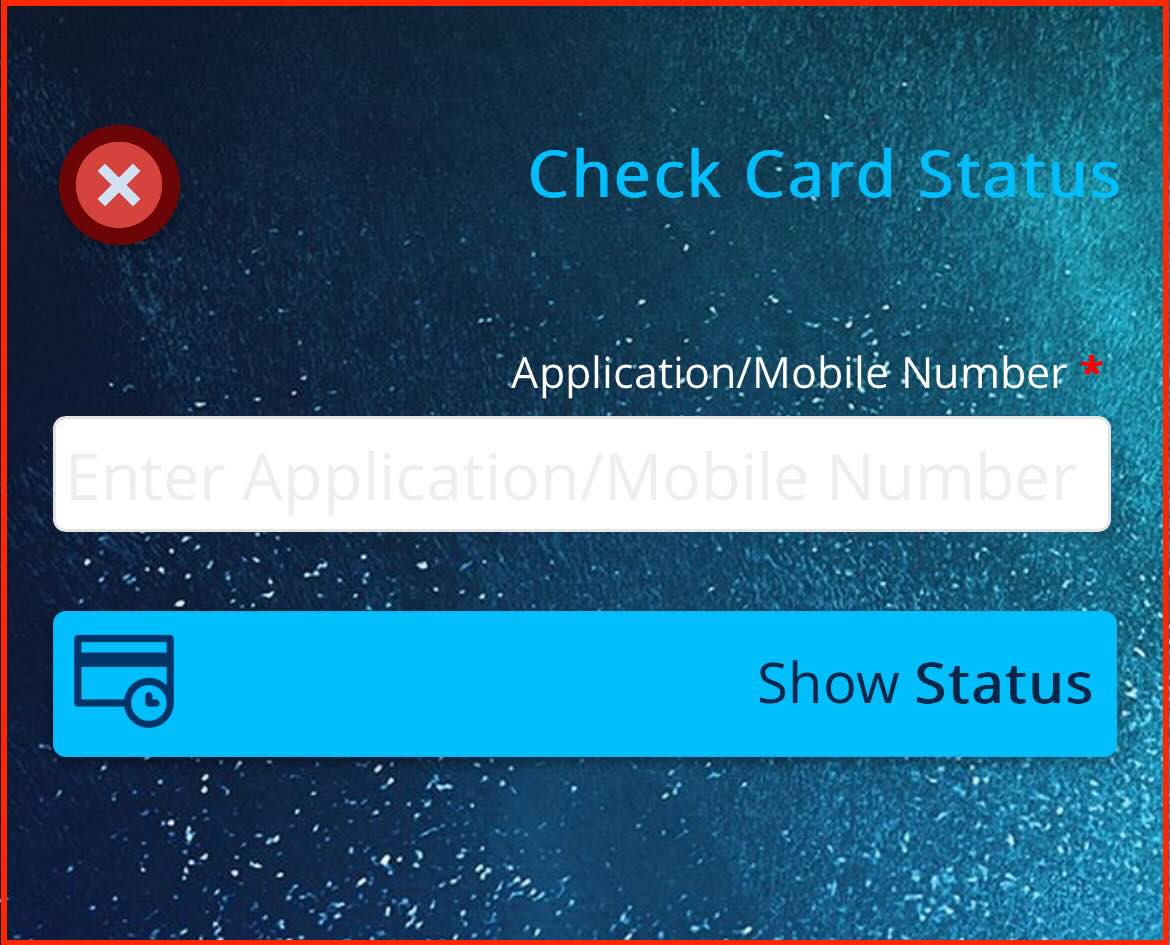
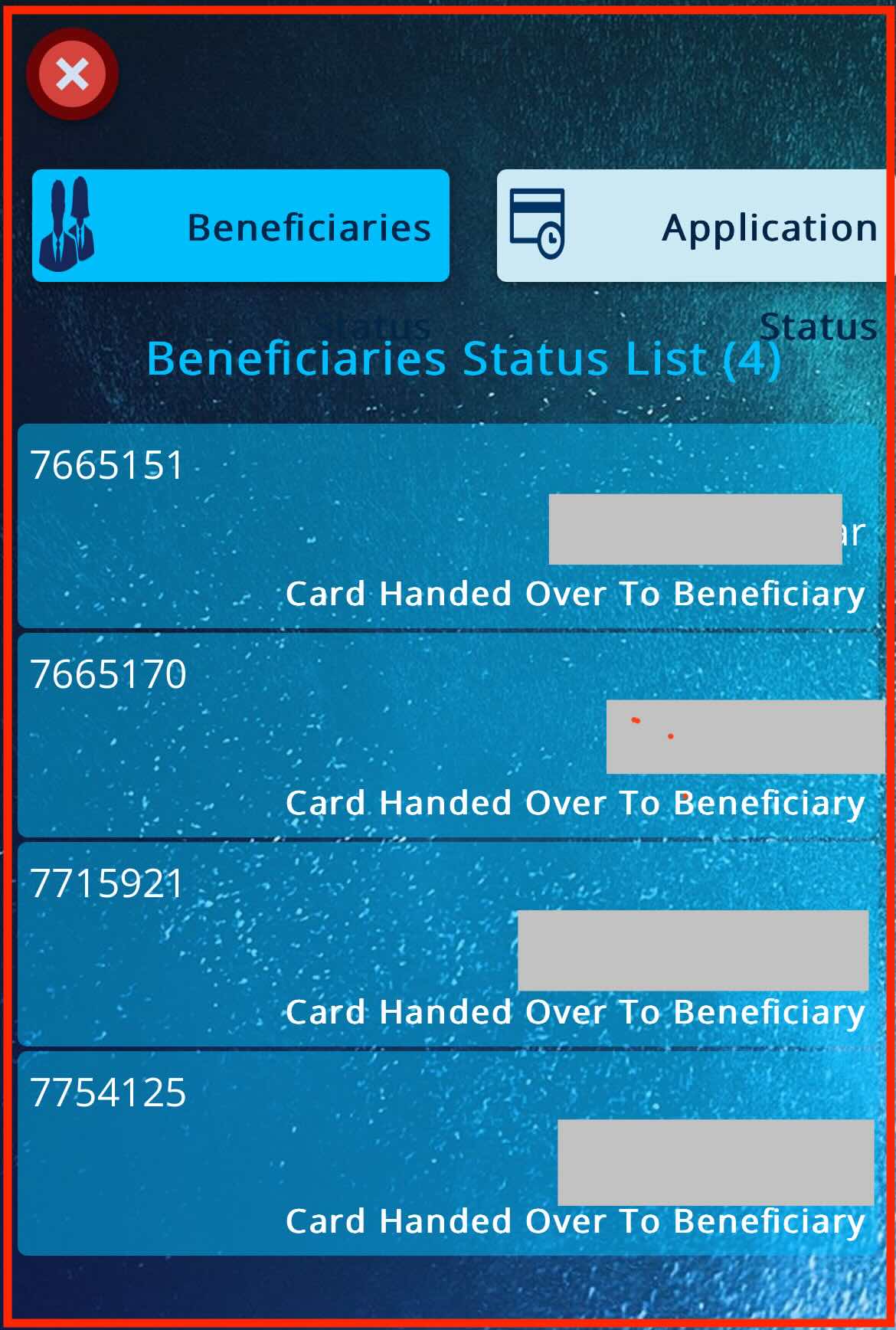
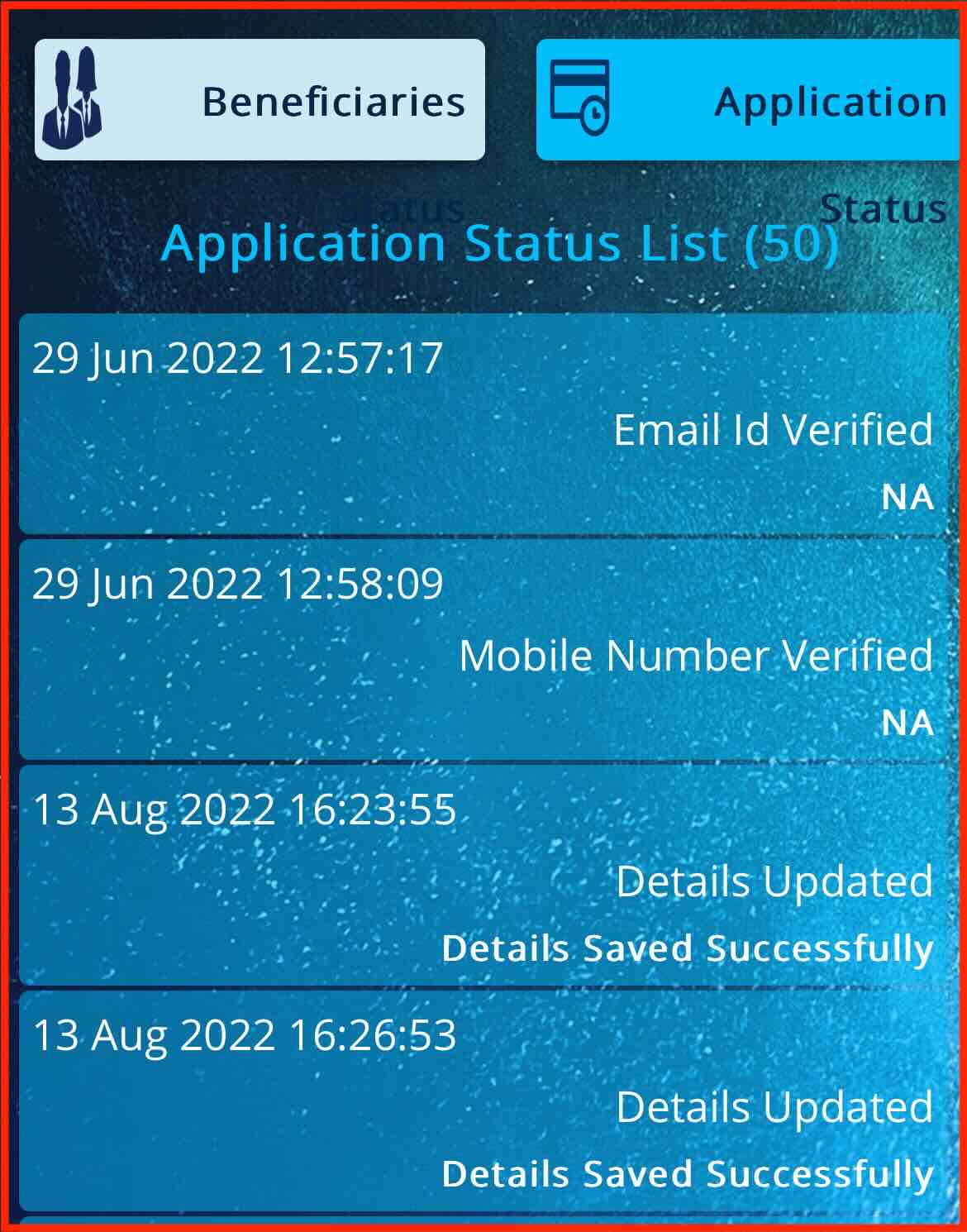
By following these steps and utilizing the application timeline feature, ECHS beneficiaries can enhance their tracking capabilities, facilitating a smoother and more informed experience throughout the application process.
Here's the process for activating the ECHS card online:
Receive Delivery Notification: Upon delivery of the ECHS card to the designated ECHS polyclinic or Station Headquarters, the primary beneficiary receives an SMS notification on their registered mobile number. The SMS confirms that the ECHS card is ready for collection.Visit Polyclinic/Station Headquarters: The primary beneficiary is required to visit the designated Station Headquarters or ECHS polyclinic to collect the ECHS 64KB card. During the visit, the beneficiary must carry the ECHS Temporary Slip issued during the online application process, along with a valid identification proof.By following these steps and adhering to the specified procedures, ECHS beneficiaries can efficiently activate their ECHS cards online and commence availing the associated benefits without delay.

.png)
.png)
.png)
.png)
.png)
.png)
If you have applied for a 64KB ECHS smart card and want to check ECHS card status online. Thanks to the user-friendly ECHS beneficiary app, accessible for both Android and iOS users, the process has become incredibly convenient. Especially if you applied for a 64KB smart ECHS card, tracking your status is now just a few taps away. In this article, We will explore checking ECHS card status online and the process to activate it.
Here is the step by step process to check ECHS 64KB card online.
By following these steps and utilizing the application timeline feature, ECHS beneficiaries can enhance their tracking capabilities, facilitating a smoother and more informed experience throughout the application process.
Here's the process for activating the ECHS card online:
Receive Delivery Notification: Upon delivery of the ECHS card to the designated ECHS polyclinic or Station Headquarters, the primary beneficiary receives an SMS notification on their registered mobile number. The SMS confirms that the ECHS card is ready for collection.Visit Polyclinic/Station Headquarters: The primary beneficiary is required to visit the designated Station Headquarters or ECHS polyclinic to collect the ECHS 64KB card. During the visit, the beneficiary must carry the ECHS Temporary Slip issued during the online application process, along with a valid identification proof.By following these steps and adhering to the specified procedures, ECHS beneficiaries can efficiently activate their ECHS cards online and commence availing the associated benefits without delay.
Important decisions like car purchase are often confusing. The “Compare Cars” tool from CarWale is designed to help you in car comparison on the basis of prices, mileage, power, performances and hundreds of other features and specifications. Our car comparison tool now comes with enhanced capabilities to compare cars at version level.